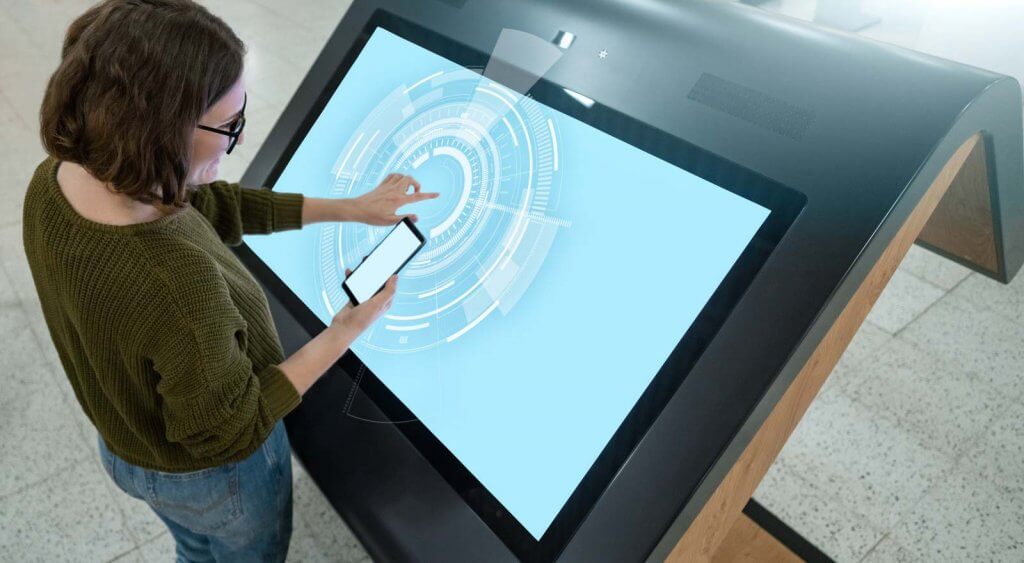
Kiosk computers are terminals for interaction to access different aspects of a computer such as information or software. They are used to make interactions with customers faster by giving them a self service option, shortening the process.
Where are Kiosk Computers Used?
The most common kiosk computers these days have touch screens but older ones with keyboards and buttons are also common. These kiosks only provide specific services that are used in the business, and they have limited functionality compared to a computer. These computer kiosks are commonly used in hospitals and municipalities to provide a system for the many citizens that visit, to divide them according to their needs and to speed up the process in which these citizens receive the assistance they need. ATM’s are also a prime example of computer kiosks. They can be used in large places such as malls or museums to provide information to the customers on where to go for their needs. They can also be used in places such as supermarkets as self check-outs or at restaurants to order. Kiosks are usually manufactured with a single goal in mind, which is to provide the services the company that employs them wants. Kiosk manufacturing is also aimed towards this process, with the layouts and the interfaces of the kiosk designed towards intuition and ease of use for the customers. The extra provided ease of use increases the effectiveness of these systems even farther, shortening the processes your customers go through, effectively saving you time. They can be used to make check in processes for events easier, or they can be easily used to make purchases without waiting in lines or dealing with excessive human interaction.
The Design of Kiosk Computers
Most kiosks are made stationary but they can also be movable if desired. The design of these kiosks during their manufacturing process also addresses security issues such as computer hacking by limiting the capabilities of the computers used in the kiosks. They are usually built very sturdily so they can last many, many years of usage but these kiosks may require software or hardware upgrades at times to prevent issues such as freezing or loss of function caused by the aging systems.